
Mapillary2026.08.26-6.14.3 - Google Play
You'll be able to see results in few seconds.
Publisher Description


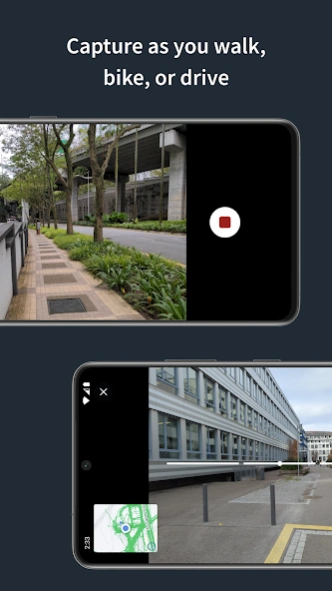
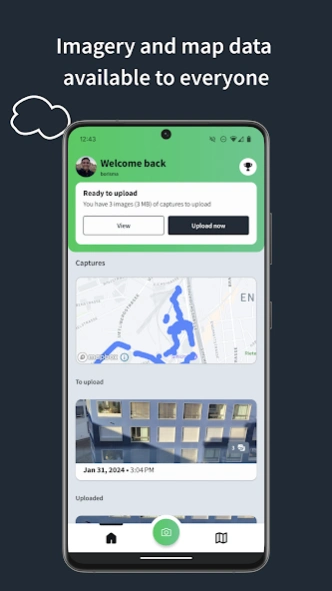
Street-level imagery
Mapillary is the street-level imagery platform that scales and automates mapping using collaboration, cameras, and computer vision.
Anyone can capture images of any place, as often as needed, with any camera—including smartphones. Mapillary combines all images into a collaborative street-level view of the world that’s available for anyone to explore and use for improving maps, cities, and mobility. Computer vision technology provides a smooth viewing experience and speeds up mapping through machine-extracted map data.
Capturing with the Mapillary mobile app is the easiest way to join our contributor network. Let’s get started!
CREATE YOUR OWN STREET-LEVEL VIEWS
You control when and where to capture to create the freshest street-level imagery. Mapillary’s technology combines all images into a navigable view and blurs faces and license plates for privacy.
ACCESS AND OPEN UP DATA
Mapillary contributors are people, organizations, companies, and governments in 190 countries. Millions of images are added to the dataset every week, which you can explore right here in the mobile app.
MAKE BETTER MAPS
Use imagery and machine-extracted data to add details to maps and geospatial datasets. Mapillary integrates with tools like OpenStreetMap iD editor and JOSM, HERE Map Creator, and ArcGIS. To access the available map data, go to mapillary.com/app.
About Mapillary
The company that develops Mapillary is Mapillary. The latest version released by its developer is 2026.08.26-6.14.3.
To install Mapillary on your Android device, just click the green Continue To App button above to start the installation process. The app is listed on our website since 2026-09-01 and was downloaded 0 times. We have already checked if the download link is safe, however for your own protection we recommend that you scan the downloaded app with your antivirus. Your antivirus may detect the Mapillary as malware if the download link to com.mapillary.app is broken.
How to install Mapillary on your Android device:
- Click on the Continue To App button on our website. This will redirect you to Google Play.
- Once the Mapillary is shown in the Google Play listing of your Android device, you can start its download and installation. Tap on the Install button located below the search bar and to the right of the app icon.
- A pop-up window with the permissions required by Mapillary will be shown. Click on Accept to continue the process.
- Mapillary will be downloaded onto your device, displaying a progress. Once the download completes, the installation will start and you'll get a notification after the installation is finished.
Version History
version 2026.08.26-6.14.3
posted on 2026-09-01
- Fixed bug where Homepage and Profile map were out of sync- Fixed bug where uploads would not resume on flaky Wi-Fi connections- Fixed bugs with incorrect upload states when upload was started/stopped/interrupted- Added capture styles help link- Renamed "Color by date" to "Color by age"- Removed redundant "Color by date" button from Camera map (available in the Map Filters view)
version 2026.08.26-6.14.3
posted on 2026-09-01
- Fixed bug where Homepage and Profile map were out of sync
- Fixed bug where uploads would not resume on flaky Wi-Fi connections
- Fixed bugs with incorrect upload states when upload was started/stopped/interrupted
- Added capture styles help link
- Renamed "Color by date" to "Color by age"
- Removed redundant "Color by date" button from Camera map (available in the Map Filters view)
version 2026.08.11-6.14.1
posted on 2026-08-19
- Fixed bug where image import could fail
- Fixed bug where the app version was hidden behind edge-to-edge nav in Settings
version 2026.03.16-6.12.76
posted on 2026-03-23
New Features:
* Pinch-to-zoom (preferring optical) on the camera screen (capped at 5x).
* Two-finger map rotation on map screens
* Compass button on the explore map
Minor Improvements:
* Smoother camera level line with reduced jitter
* Faster delete/report button response
* Coverage filter settings persist between sessions
* Sequence break distance reduced
* Homepage performance improvements
Bugs:
* Many fixes. Details are omitted due to word limit.
version 2025.12.26-6.11.29
posted on 2026-01-06
* New Feature
- Image import into the application
* Minor Improvements
- Unified approach to tracking timestamps
- Minor UI updates
- Simplified folder structure
version 2025.09.25-6.10.0
posted on 2025-10-13
* The camera map now has a new expandable menu where you can select the map style, center the map, toggle capture age coloring, and toggle the compass mode
* Tapping on the map on Homepage now jumps to the most recent capture (either uploaded or not uploaded)
* Screen dimming during capture now has a longer delay and dims a bit less
* Updated the selected sequence representation on maps to be more legible
* Misc smaller UI/UX improvements
version 2025.08.12-6.9.48
posted on 2025-08-26
Increased target SDK to API level 35 per Google Play requirements.
version 2025.06.25-6.9.47
posted on 2025-06-26
* Fixed bug where the dim screen info dialog shouldn't dim screen instantly
* Fixed bug where capture was not started after dismissing the dim screen dialog
* Localization updates
version 2025.05.12-6.8.28
posted on 2025-05-22
Features:
* You can now request account information directly within the app.
* Reset password functionality is available in settings.
Improvements:
* Uploading speed has increased by up to 20% thanks to parallelization.
* Removed sequence lock during uploading for a smoother experience.
Addressed issues:
* Leaderboard stopped highlighting users after they changed their username.
Disclaimer
Official Google Play Link
We do not host Mapillary on our servers. We did not scan it for viruses, adware, spyware or other type of malware. This app is hosted by Google and passed their terms and conditions to be listed there. We recommend caution when installing it.
The Google Play link for Mapillary is provided to you by apps112.com without any warranties, representations or guarantees of any kind, so access it at your own risk.
If you have questions regarding this particular app contact the publisher directly. For questions about the functionalities of apps112.com contact us.
